Free Chrome extension
Earn your screen time with focused work.
Focus Gate is a Chrome extension that keeps distracting websites locked until you complete a new accepted coding problem.
No payment, account, advertisements, or analytics.
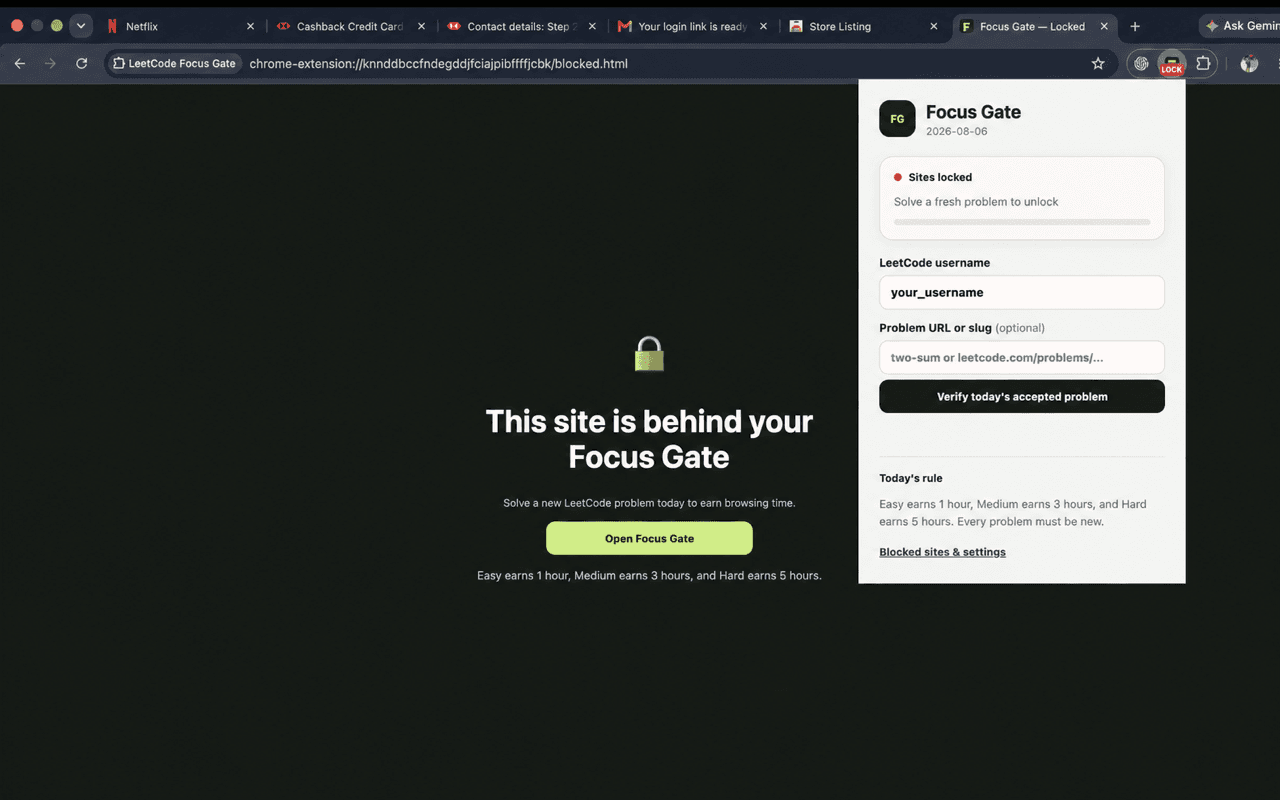
Simple reward system
Difficulty determines the allowance.
Solve more when you need more time. Every credited problem must be new.
Easy
1 hour
Medium
3 hours
Hard
5 hours
Designed for deliberate use
The timer follows your attention.
Fresh work only
A coding problem can earn credit only once, so progress stays genuine.
Active time only
The allowance runs only while a gated site is active in the focused browser window.
Automatic lock
When time expires, open gated pages return to the lock screen automatically.
Private by design
Settings and progress stay in local browser storage with no ads or analytics.
Install in minutes
Start with the free release.
Install Focus Gate from its official Chrome Web Store listing and review Chrome's permission prompt before enabling it.
- 1Open the official Chrome Web Store listing.
- 2Select Add to Chrome and review the requested permissions.
- 3Confirm the installation when Chrome asks.
- 4Enter your public coding-platform username and start your daily challenge.